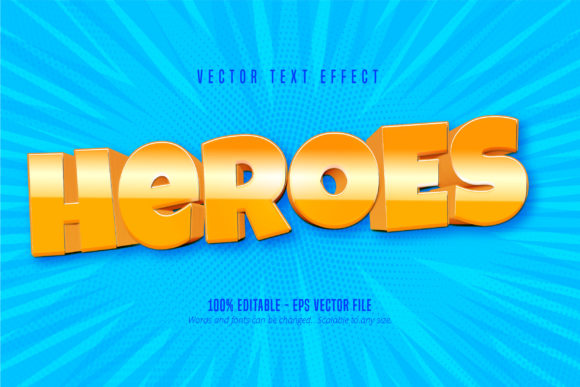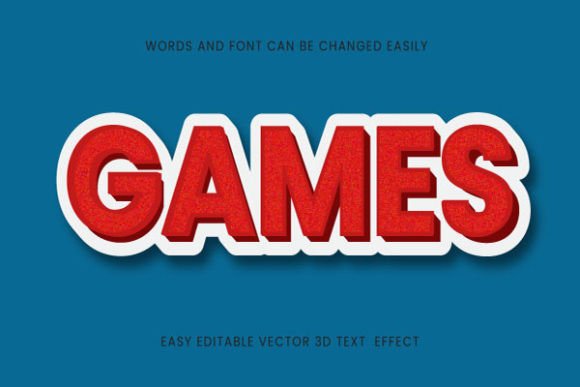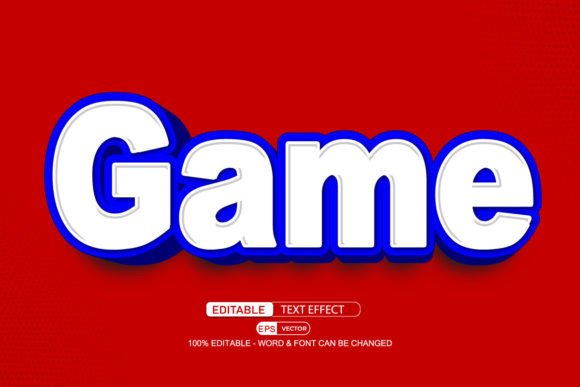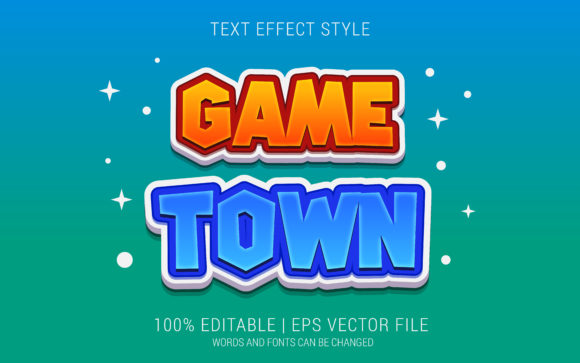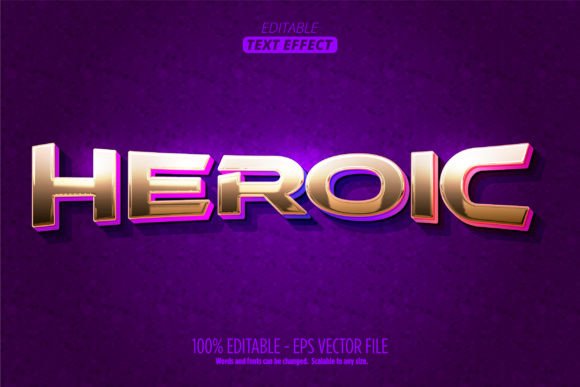
Heroic Text Effect: Elevating Design with Editable Game Style in Adobe Illustrator
Adobe Illustrator has long been a cornerstone for vector-based graphic design, offering creators the flexibility and precision needed to bring complex visual ideas to life. Among the many tools and effects available, the Heroic Text Effect stands out as a powerful resource for designers seeking to infuse their typography with a bold, stylized aesthetic. Specifically crafted with an Editable Game Style, this effect is not just visually striking—it's also highly adaptable for a wide range of creative applications.
Understanding the Heroic Text Effect
The Heroic Text Effect is a vector-based design treatment that transforms standard text into a dynamic, stylized visual element. Unlike traditional font designs, this effect is applied using Adobe Illustrator’s Graphic Styles feature, which allows for non-destructive and easily adjustable design elements. This makes it ideal for game developers, UI/UX designers, and illustrators who require a consistent yet customizable typographic look.
One of the defining characteristics of this effect is its scalability. Since it's built using vector graphics, the text maintains its clarity and sharpness at any size—whether it's used for a mobile game title or a large-scale poster. The effect is delivered in both AI (Adobe Illustrator) and EPS formats, ensuring compatibility with Illustrator CC2014 and later versions.
Editable Game Style: A Designer’s Advantage
At the core of the Heroic Text Effect is the Editable Game Style concept. This means that the text remains fully editable within Adobe Illustrator. Designers can:
- Change the text content at any time
- Adjust colors to match brand or project themes
- Modify the graphic style intensity or layering
- Apply the effect to individual letters or entire blocks of text
This flexibility is crucial in environments like game development or branding, where consistency and adaptability are key. Unlike static images or raster-based effects, the Editable Game Style ensures that the design remains dynamic and responsive to creative needs.
Technical Components and File Structure
The Heroic Text Effect package includes several essential files and documentation to streamline the user experience:
- 1 EPS vector file – Ensures compatibility across different versions of Adobe Illustrator and other vector editing software.
- 1 AI vector file – Designed for use in Adobe Illustrator CC2014 and later, allowing full access to layers and styles.
- 1 JPG preview image – Provides a visual reference of the final effect before application.
- Graphic Styles .ai file – Contains the reusable style that can be applied to any text in Illustrator.
- PDF documentation – Includes step-by-step instructions for applying and customizing the effect.
The ZIP archive is compact yet comprehensive, making it easy for users to extract and begin using the effect immediately. Importantly, the effect is not a font but a style—meaning it can be applied to any font of choice, giving designers full control over typography selection.
Practical Applications of Heroic Text Effect
The versatility of the Heroic Text Effect makes it suitable for a wide array of design contexts. Some of the most common applications include:
- Game Titles and UI Elements: The Editable Game Style is particularly well-suited for video game interfaces, splash screens, and title cards. Its bold, dynamic appearance enhances the visual appeal of game menus and promotional materials.
- Comic and Cartoon Design: The effect mimics a stylized, almost hand-drawn aesthetic, making it ideal for cartoon logos, comic book titles, and animated media branding.
- Promotional Graphics: Whether for social media, posters, or banners, the Heroic Text Effect adds a professional and eye-catching finish to marketing materials.
- Logo and Branding Projects: For brands aiming to convey strength, heroism, or action, this effect can be integrated into logo design to create a memorable visual identity.
Why Choose Heroic Text Effect Over Other Styles?
There are countless text effects available online, but few offer the combination of quality, flexibility, and ease of use found in the Heroic Text Effect. Here are some of the key advantages:
- Non-Destructive Editing: Since the effect uses Illustrator’s Graphic Styles, you can apply, remove, or tweak it without altering the original text.
- Full Customization: From color adjustments to layer blending modes, every aspect of the effect is open to customization.
- Professional Quality: Created with attention to detail, the effect delivers a polished, high-quality finish suitable for commercial use.
- Scalability: As a vector-based effect, it maintains clarity at any size—ideal for both digital and print formats.
Considerations for Use
While the Heroic Text Effect offers numerous benefits, there are a few considerations to keep in mind:
- Software Compatibility: The effect is designed specifically for Adobe Illustrator. While the EPS file may open in other software, full editability is only guaranteed within Illustrator CC2014 or newer.
- Learning Curve: Users unfamiliar with Illustrator’s Graphic Styles panel may need to spend a few minutes learning how to apply and adjust styles effectively.
- Not a Font: It’s important to remember that this is a visual effect, not a typeface. It must be applied to existing text rather than installed as a font.
Getting Started with Heroic Text Effect
Implementing the Heroic Text Effect into your design workflow is straightforward. Here’s a basic guide to get you started:
- Extract the contents of the ZIP file and locate the Graphic Styles .ai file.
- Open Adobe Illustrator and load the graphic style via the Window > Graphic Styles panel.
- Create your desired text using any font you prefer.
- Select the text and apply the Heroic Text Effect from the Graphic Styles panel.
- Customize colors, effects, and layers as needed using the Appearance panel.
The included PDF documentation provides more detailed instructions, including tips on how to adjust shadows, gradients, and outlines to achieve different visual outcomes.
Real-World Examples and Observations
Designers across various industries have found creative ways to integrate the Heroic Text Effect into their work. For instance:
- Mobile Game Developer: A game studio used the effect to create consistent title screens across multiple game levels, ensuring a cohesive visual identity without repetitive design work.
- Illustrator: An artist incorporated the effect into a series of cartoon-style posters, adjusting the color scheme to match each character’s personality while maintaining a unified style.
- Educational Branding: A learning platform applied the effect to course titles in promotional videos, giving the content a bold and engaging appearance that resonated with younger audiences.
These examples highlight the adaptability of the Heroic Text Effect and how it can be tailored to suit diverse visual narratives.
Conclusion: A Versatile Tool for Modern Designers
In a digital landscape where visual appeal plays a crucial role in audience engagement, tools like the Heroic Text Effect offer a valuable edge. Whether you're a game developer, motion designer, or illustrator, this effect provides a streamlined way to enhance typography with a bold, stylized look. Its integration with Adobe Illustrator’s Graphic Styles ensures that it remains both powerful and user-friendly, making it a go-to resource for professionals and hobbyists alike.
With its Editable Game Style, full customization options, and compatibility with modern design workflows, the Heroic Text Effect is more than just a visual enhancement—it’s a practical, scalable solution for elevating any project that demands typographic impact.